BlockUp Photo Mode & Poses
Capture clean stills, streetwear flex, and stunt frames without wrecking the session.
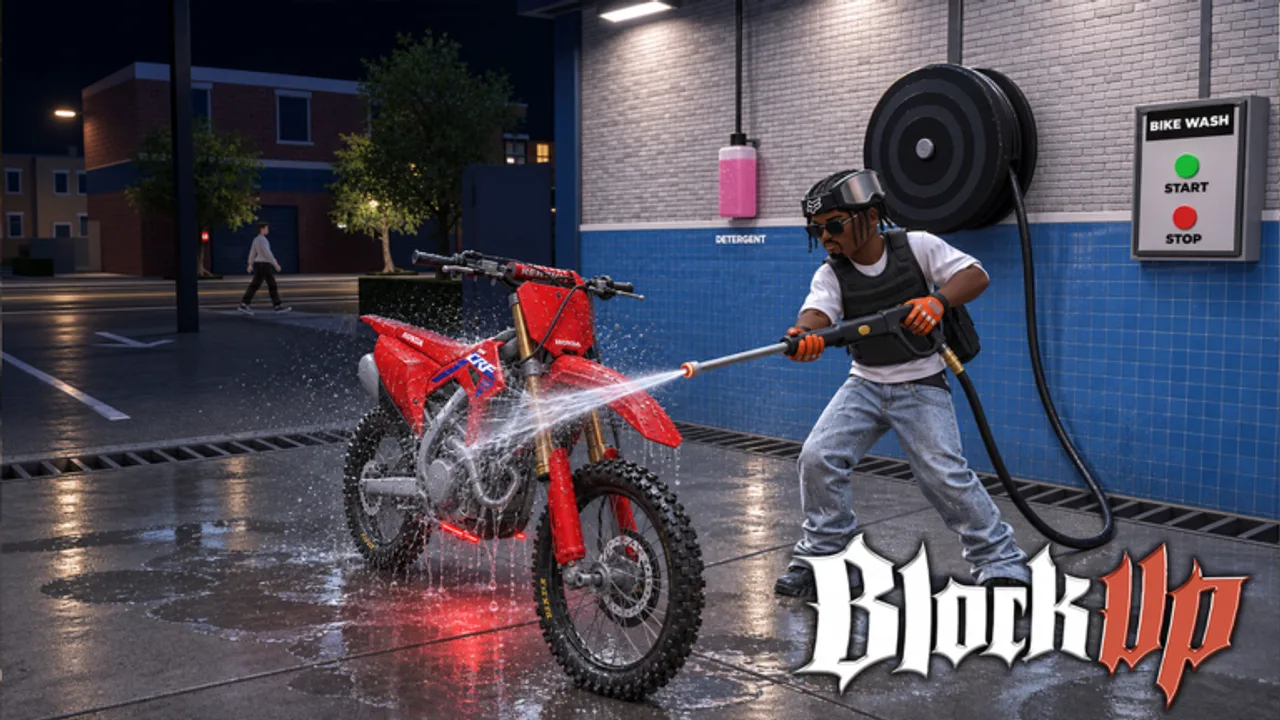
Photo mode and poses turn BlockUp rides into shareable culture. La Bandite’s Roblox Bike Life sim is not only deliveries and wheelies — Version 1.0’s city is built for streetwear flex, garage showcases, passenger hangouts, and stills that look intentional. Servers cap around 15 players, so a good shoot does not need a stadium crowd; it needs light, composition, and manners. This guide covers how to approach photo mode, when to use poses, how to pair outfits with bikes, and how to capture stunts without inventing fake filters or paid “editor scripts.” Pair skill practice with How to Wheelie and Stunts, then finish looks in Customize Bike.
Why photo mode matters in Bike Life
BlockUp sells a lifestyle loop: earn, maintain, customize, socialize. Screenshots are how crews brand themselves. A clean still sells workshop work better than a chat claim. Poses sell confidence after a duel or before a group cruise. Photo mode also helps you debug builds — before/after workshop shots reveal whether a wrap or part swap actually improved the silhouette. Treat photography as part of the game loop, not an afterthought when the session ends.
Pre-shoot checklist
- Wash and oil honesty. Dirty glass and neglected care ruin close-ups. If upkeep is part of the sim, respect it before you flex.
- Fuel enough to reposition. Scouting angles burns idle time; do not strand the bike mid-set.
- Streetwear match. Coordinate colors with wraps so the rider and machine read as one outfit.
- Know the pose library. Practice idle poses off-camera so you are not scrolling menus in traffic.
- Pick a quiet block. Alleys, empty lots, basketball courts, and garage aprons beat dealership doorways during rush.
- Controller camera help. Analog look is smoother for framing; the game already recommends a controller for physics, and it helps framing too.
Poses vs riding stills
Poses are deliberate character beats: lean on the bike, victory stance, casual sidewalk flex. Use them when the bike is parked safely and other players can walk around you. Riding stills freeze a wheelie, stoppie, drift exit, or cruise line. Riding stills need rehearsal — you cannot invent balance in the shutter. Warm up with short holds from the wheelie guide, then capture. If you want linked trick vocabulary, study Stunts so you are not guessing which input creates the frame.
Do not block pumps, mechanic bays, or garage exits while posing. Fifteen-player servers feel personal; one selfish photo line can stall someone’s money run.
Lighting and location ideas
| Spot type | Best for | Watch-outs |
|---|---|---|
| Garage apron | Detail, wraps, stance | Crew traffic; keep lanes clear |
| Basketball court | Group poses, streetwear | Bounce balls and foot traffic |
| Long avenue | Wheelie / cruise stills | Delivery riders; call your take |
| Alley | Moody flex | Tight recovery space after fails |
| Elevated overlook | City backdrop | Approach speed; do not launch off edges for clout |
Golden-hour vibes on Roblox are whatever the skybox gives you — work with contrast and bike color instead of waiting for a real sun. Bright wraps pop on dark asphalt; dark bikes need lighter backgrounds or streetwear accents so silhouettes do not vanish.
Streetwear flex workflow
- Choose the role bike you are showcasing (flex vs earner — do not muddy the story).
- Match top/bottom/shoe accents to primary wrap colors.
- Park, set a pose, take a wide shot, then a three-quarter detail.
- Optional: invite a passenger for scale and story — see Passengers for etiquette before stacking friends on an untested frame.
- End with a crew lineup if the lobby is friendly; credit builders in chat, not just the rider in frame.
Passengers add life to stills, but consent and balance matter. Ask before you mount someone into a wheelie attempt for content. The Players Hub is the social home for crew norms; photo mode is how those norms show up on screen.
Capturing stunts without chaos
- Rehearse the trick until landings are boring.
- Mark a start cone mentally (lamp post, curb cut, painted line).
- Call “rolling” in chat if spectators are watching.
- Capture two clean takes, then move — do not farm the same intersection forever.
- Save risky alley clips for private practice; public fails waste everyone’s patience.
Wheelie stills look best slightly under the balance peak — a hair of front-wheel shadow sells height better than a near-loop. Stoppie frames need readable brake commitment; drifts need an exit still, not only entry smoke. Burnouts are social fireworks: great for garage doors, terrible in narrow gas lanes.
Camera habits that separate clean shots
- Lower the camera slightly for stance hero shots so wheels and shadows ground the bike.
- Raise and pull back for city context so the Version 1.0 map reads as a place, not a void.
- Avoid extreme FOV gimmicks that stretch plastics into meme shapes unless that is the joke.
- Keep the rider’s headroom consistent across a series so carousel posts feel professional.
- After workshop changes, reshoot the same two angles so comparisons are fair (Customize Bike).
Session plan (30–40 minutes)
- Maintenance pass and outfit sync (5 min).
- Location scout on foot or slow roll (5 min).
- Pose set: three angles, two poses (10 min).
- One stunt series on an open avenue (10 min).
- Optional passenger or crew lineup (5–10 min).
- Park properly; thank spectators; leave the spot clean.
If you still need cash after the shoot, switch to money routes instead of forcing more clips while tilted. Photo mode is a reward loop, not a substitute for progression.
Common mistakes
Shooting in spawn chaos. New joiners collide with your frame. Move one block away. Ignoring passengers’ cameras. If a friend is filming, give them the wide side and stop cutting the lane. Flexing a broken earner. Oil smoke and empty fuel tanks are not aesthetic — they read as neglect. Chasing fake “photo scripts.” This wiki does not invent automation tools; play vanilla and frame by hand. Forgetting duel aftermath. After a 1v1, a short pose is classy; lingering in the road is not.
Related reads
- Stunts — trick vocabulary for action frames
- How to Wheelie — balance before the shutter
- Customize Bike — wraps and workshop baselines
- Passengers — ride-alongs that belong in the shot
- Players Hub — crew roles and social norms
Photo mode in BlockUp rewards the same virtues as good riding: patience, spatial awareness, and respect for a small server. Pose with intent, capture the city honestly, and let the stills advertise a lifestyle you actually play.
Frequently Asked Questions
Quick answers to common BlockUp questions.
Does BlockUp have a photo mode?
Yes. Version 1.0 includes photo mode alongside poses so you can capture bikes, streetwear, and stunts as intentional stills.
Should I pose in busy dealership or gas areas?
Prefer quieter lots, garage aprons, courts, or avenues. Keep pumps, bays, and shop doors clear for other players.
How do I make streetwear look good with my bike?
Match accent colors to your wrap, shoot wide plus detail angles, and keep the bike washed so fabrics and paint share the same story.
Can passengers appear in photo mode shots?
Yes — ask first, use a stable bike, and follow passenger etiquette so the shoot stays safe and consensual.
Do I need scripts for better screenshots?
No. Frame with the in-game camera and poses. Avoid third-party executors; they are unnecessary and risky.